Reset a forgotten password
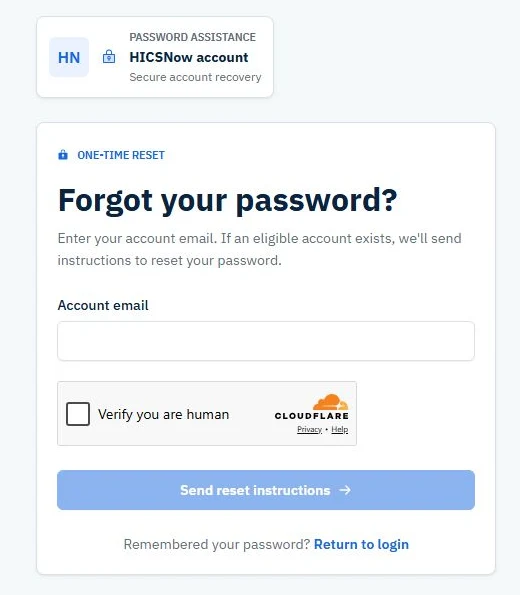
Request a reset link
- Open the HICSNow Login page.
- Select Forgot password?
- Enter your account email.
- Complete the Verify you are human security check.
- Select Send reset instructions.
HICSNow displays the same confirmation whether or not an account is found. This protects account privacy.
Create the replacement password
- Open the reset email.
- Select the one-time reset link within 24 hours.
- Enter and confirm a password that meets every displayed requirement.
- Select Reset password.
- Return to HICSNow and sign in again.
The reset link can be used only once. Completing a password reset revokes existing HICSNow sessions for that account, so every device must sign in again with the new password.
If you do not receive an email, check your spam or junk folder, confirm you entered your account email, and contact an administrator if the problem continues.