Sign in to HICSNow
You can access HICSNow from the main Login link or from your organization's assigned HICSNow address.
Sign in from the main Login page
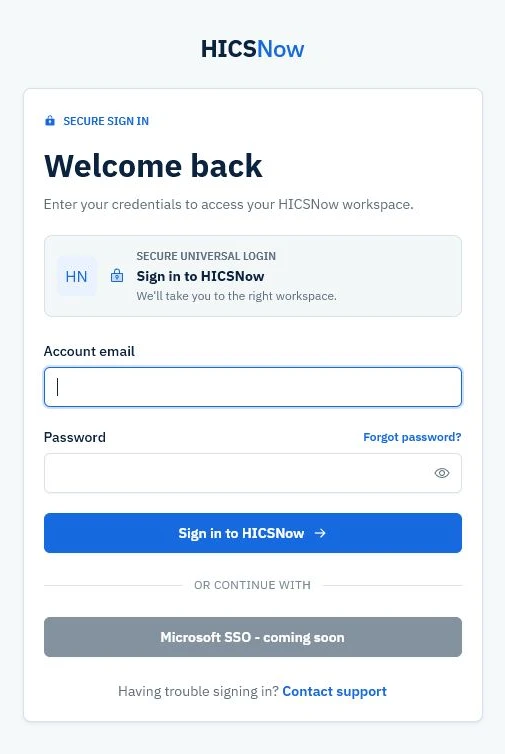
The universal login page accepts any HICSNow account and routes the user to an authorized workspace.
- Select Login on the HICSNow website.
- Enter your account email.
- Enter your password.
- Select Sign in to HICSNow.
- If your account belongs to more than one workspace, choose the workspace you want to open.
HICSNow routes a platform administrator to the owner dashboard and opens the selected organization workspace at the appropriate starting page for that account.
Where you land after sign-in
Within an organization workspace, HICSNow chooses the starting page from your user group and HICS Role assignments:
- A User opens Incidents directly, whether or not the User has an assigned HICS Role. My profile opens only when the User selects the profile control.
- Users do not have access to the administrative dashboard. Entering the administration address directly returns the User to Incidents.
- A Tenant Administrator or Facility Administrator without an assigned HICS Role opens the administrative dashboard.
- A Tenant Administrator or Facility Administrator with at least one assigned HICS Role opens Incident Overview.
- A Super Administrator signing in to the platform owner context opens the owner dashboard. When accessing an organization as a workspace member, the same HICS Role rule determines whether administration or Incident Overview opens first.
This starting page does not grant additional authority. Administrative user groups continue to control configuration access, while operational HICS Roles and incident assignments control incident actions. Both dashboards retain navigation to other authorized areas; Users do not see administration or Settings navigation.
Sign in from an organization login page
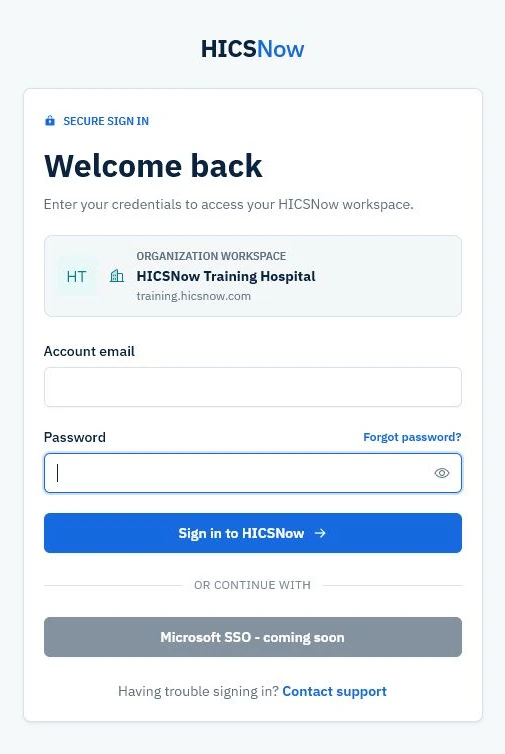
Confirm the organization name in the workspace banner before entering your credentials.
- Open the HICSNow address assigned to your organization.
- Confirm that the organization name shown on the page is correct.
- Enter your account email and password.
- Select Sign in to HICSNow.
An organization-specific login only opens that organization when your account has active access to it. Tenant Administrators retain organization-wide access. Other users must be assigned to at least one active facility.
Use the main HICSNow Login page. After your credentials are verified, HICSNow can route you to an authorized workspace.
If you cannot sign in, see Account access troubleshooting.
HICSNow temporarily pauses additional attempts after repeated unsuccessful sign-ins. Stop retrying and wait up to 15 minutes before trying again. If you know the password is correct but receive an account or facility status message, follow that message or contact your Tenant Administrator instead of repeatedly submitting the form.